
For the it head
Know exactly what you are running.
For IT leads who will be on call: a known stack, isolation in the database, single sign-on and one tool for the operational work.

Three moments
Three moments at Greenfield School.
Illustrative situations for the it head, and what you can do in each.
Greenfield School and its people are fictional.
Install day.
lmsctl preflight --host <name> checks the server, then lmsctl install --host <name> --version <x.y.z> sets up the platform. Deployment files cover Compose and Helm with nginx, pgbouncer, Vault and ClamAV.
Uses: lmsctl
02:00. You need last night's data back.
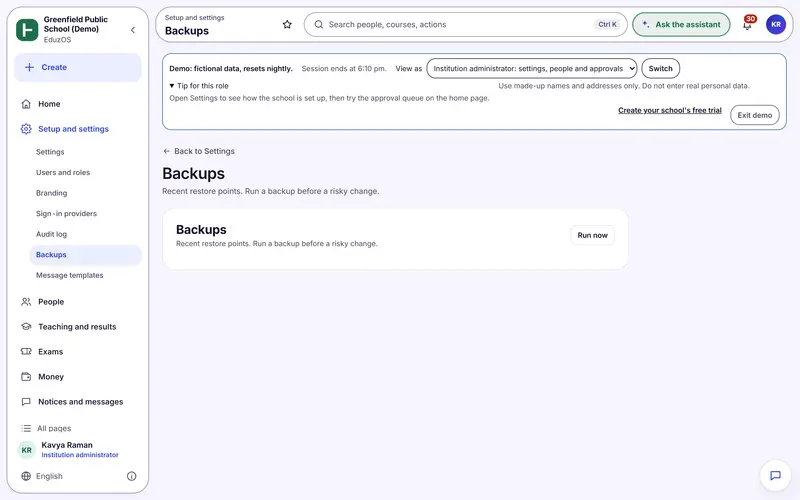
Backups are encrypted, and a bundle can be checked with lmsctl restore --verify <bundle dir> before a restore. Both are run by your operator with the same tool.
Uses: Encrypted backup, verified restore
Security asks how tenants are separated.
Row level security is forced on every tenant table, and the runtime database role cannot bypass it.
Uses: Row level security
Benefits
What you get.
A stack you can name
Postgres 17, NestJS 11 and Node 22.
Single sign-on
Keycloak sign-in by institution code, with two-step sign-in enforced for sensitive roles.
Encryption per institution
Sensitive fields are encrypted per tenant with AES-256-GCM.
Evidence
A hash-chained audit log, verified from the admin console and by lmsctl restore --verify <bundle dir>.
Areas you will use
The screens behind it.
Each area has its own page of real screens.
Before you decide
Questions worth asking us.
Bring these to the demo and we will answer them on demo data.
- What hardware and skills do we need?
- How do upgrades work?
- What has and has not been independently reviewed?
Review the architecture with us.
Send a short enquiry and our sales team will reply to your work email.